
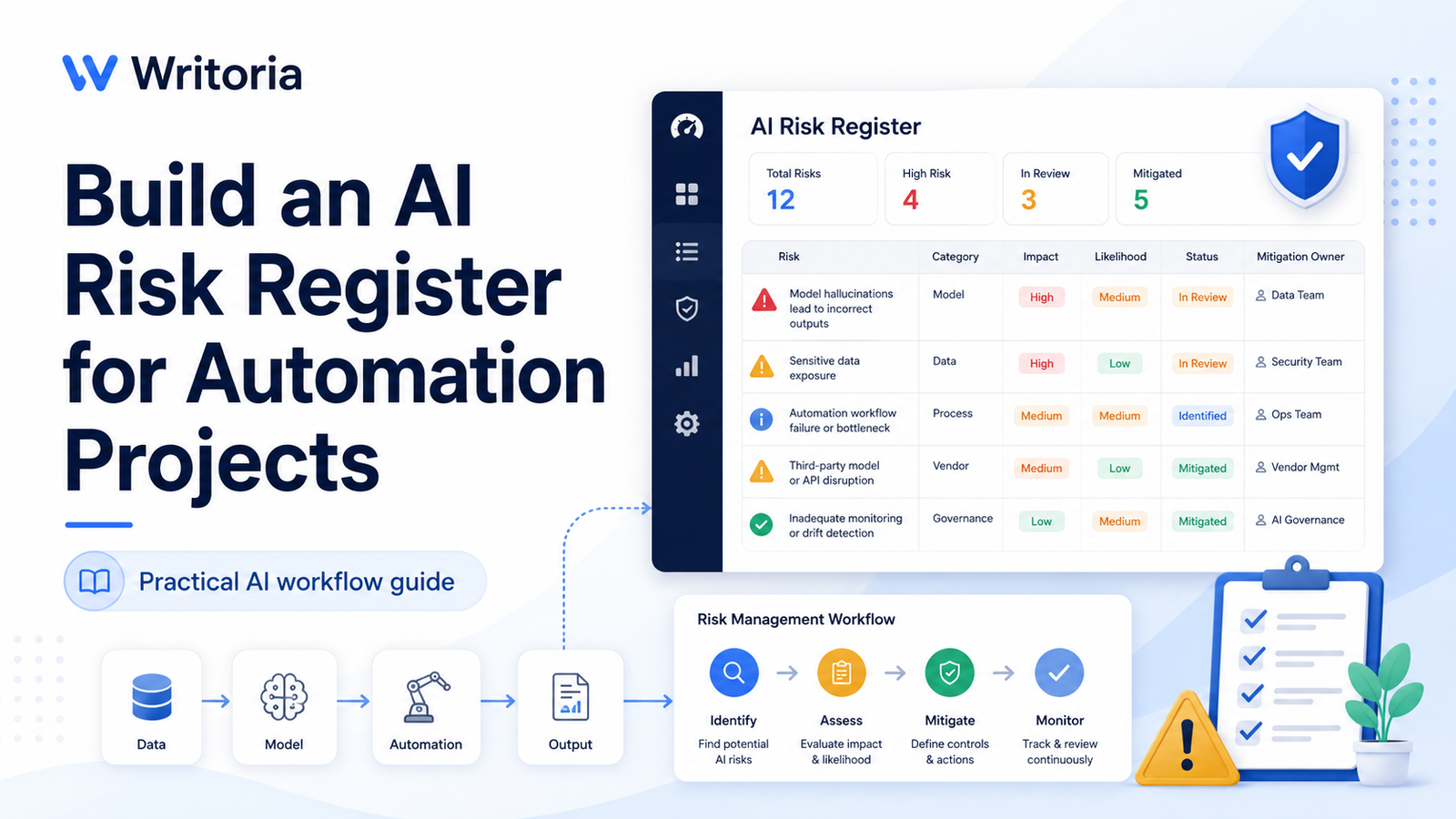
An AI automation can save time and improve consistency, but it can also introduce new failure points. Incorrect outputs, exposed data, rising API costs, weak human oversight, and silent workflow failures can all damage an otherwise useful system.
An AI risk register gives your team one place to record those risks, assign ownership, evaluate severity, and track mitigation work before and after launch. This guide shows how to build a practical register for a small team without turning risk management into unnecessary paperwork.
Why an AI project needs a risk register
For a broader risk management framework, review the NIST AI Risk Management Framework, which provides guidance for identifying, measuring, and managing risks across the AI lifecycle.
Traditional process automation follows fixed rules. AI systems are less predictable because their output can change depending on the prompt, input quality, model version, context, and external data. A workflow may perform well during testing and still fail when it receives incomplete, unusual, or misleading input.
A risk register makes these uncertainties visible. Instead of relying on someone to remember every possible problem, the team records each risk and decides:
- What could go wrong?
- How likely is it?
- How serious would the result be?
- Who owns the response?
- What control reduces the risk?
- How will the team detect the failure?
- When will the risk be reviewed again?
The register should be a working operational document, not a file that is completed once and forgotten.
The fields every AI risk register should include
You can maintain the register in a spreadsheet, database, project management tool, or internal dashboard. The tool matters less than using consistent fields.
| Field | Purpose |
|---|---|
| Risk ID | A unique reference such as AI-001. |
| Risk description | A clear statement of what could go wrong. |
| Category | Privacy, accuracy, security, cost, operations, compliance, or another defined group. |
| Trigger or cause | The condition that may create the risk. |
| Likelihood | How probable the risk is, usually scored from 1 to 5. |
| Impact | How serious the consequence would be, usually scored from 1 to 5. |
| Risk score | Likelihood multiplied by impact. |
| Existing controls | Safeguards already in place. |
| Mitigation action | The next step that will reduce the risk. |
| Owner | The person responsible for monitoring and responding. |
| Status | Open, monitoring, mitigated, accepted, or closed. |
| Review date | The next date the team will reassess the risk. |
Common AI automation risk categories
1. Accuracy and hallucination risk
The model may invent facts, misread context, omit important information, or return an answer that sounds confident but is incorrect. This is especially important when outputs affect customers, financial decisions, legal commitments, medical information, or public content.
Typical controls: source citations, confidence checks, structured output, validation rules, approved examples, and human review before high-impact actions.
2. Data privacy risk
Sensitive customer, employee, financial, or internal business data may be sent to an AI service without proper authorization. Teams may also paste more information into prompts than the task requires.
Typical controls: data minimization, redaction, approved tools, access restrictions, retention review, and a clear list of prohibited data types.
3. Security and prompt injection risk
Untrusted text may contain instructions designed to manipulate the AI system. This can happen when the workflow reads emails, web pages, uploaded documents, support tickets, or other user-controlled content.
Typical controls: separate system instructions from user content, restrict tool permissions, validate actions outside the model, sanitize input, and require approval for sensitive operations.
4. Automation failure risk
The AI output may be correct, but the workflow can still fail because of expired credentials, API limits, malformed data, connection errors, webhook failures, or changes in a third-party service.
Typical controls: error logs, retry rules, failure notifications, fallback queues, health checks, and a documented manual process.
5. Cost and usage risk
A loop, oversized prompt, unexpected traffic increase, or inefficient model choice can raise costs quickly. A workflow that appears inexpensive in testing may become costly at scale.
Typical controls: monthly budgets, usage alerts, token limits, cheaper models for low-risk tasks, caching, and volume monitoring.
6. Bias and inconsistent treatment
AI may treat similar cases differently or reflect patterns that are unfair, incomplete, or inappropriate for the business context. This is particularly important in hiring, evaluation, prioritization, pricing, and customer escalation workflows.
Typical controls: representative test cases, clear decision rules, outcome monitoring, manual review, and limits on where AI may make recommendations.
7. Ownership and oversight risk
A workflow may have no clear owner after launch. When failures occur, nobody knows who should investigate, update the prompt, contact the vendor, or pause the automation.
Typical controls: one named owner, a backup owner, escalation rules, scheduled reviews, and a clear pause or rollback procedure.
How to score each risk
A simple 1-to-5 scoring model is enough for most small teams.
| Score | Likelihood | Impact |
|---|---|---|
| 1 | Rare | Negligible |
| 2 | Unlikely | Minor |
| 3 | Possible | Moderate |
| 4 | Likely | Major |
| 5 | Almost certain | Severe |
Calculate the score with this formula:
Risk score = Likelihood × Impact- 1–4: Low risk. Monitor through normal review.
- 5–9: Medium risk. Add controls and assign an owner.
- 10–15: High risk. Mitigate before broad rollout.
- 16–25: Critical risk. Do not launch until the risk is reduced or formally accepted.
A numeric score helps prioritize work, but it should not replace judgment. A privacy breach with a low probability may still require immediate attention because its impact is severe.
Example AI risk register
| ID | Risk | Likelihood | Impact | Score | Mitigation | Owner |
|---|---|---|---|---|---|---|
| AI-001 | AI drafts an incorrect customer response. | 3 | 4 | 12 | Require human approval before sending and verify claims against source data. | Support lead |
| AI-002 | Sensitive customer information is sent to an unapproved model. | 2 | 5 | 10 | Redact personal data and limit the workflow to approved AI providers. | Operations manager |
| AI-003 | Prompt injection causes the model to ignore workflow rules. | 3 | 4 | 12 | Treat external content as untrusted, restrict tool permissions, and validate actions separately. | Technical owner |
| AI-004 | API usage exceeds the monthly budget. | 3 | 3 | 9 | Add usage alerts, prompt limits, and a monthly cost review. | Project owner |
| AI-005 | Workflow stops silently after an integration failure. | 3 | 4 | 12 | Add failure notifications, retries, logging, and a manual fallback queue. | Automation owner |
Build the risk management workflow
Step 1: Map the automation
Document the trigger, inputs, AI model, external tools, stored data, human review points, and final actions. Risks are easier to identify when the entire workflow is visible.
Step 2: Identify failure points
Review every stage and ask what could fail, what could be misunderstood, what data could be exposed, and which action would be difficult to reverse.
Step 3: Score and prioritize
Assign likelihood and impact scores. Address the highest risks first, especially those involving customers, sensitive data, money, public publishing, or irreversible actions.
Step 4: Assign one owner per risk
A department name is not an owner. Assign a specific role or person who can monitor the risk, complete mitigation work, and escalate the issue when necessary.
Step 5: Add detection controls
Prevention is not enough. Decide how the team will notice a failure. Use logs, alerts, quality sampling, approval queues, error thresholds, cost notifications, and regular audits.
Step 6: Review after launch
Review the register weekly during the pilot and monthly after the workflow becomes stable. Add newly discovered risks, update scores, record incidents, and close items only when the controls have been tested.
Copy-and-use prompts
Use AI to help identify risks, but do not let the model approve its own controls. A human should verify every risk, score, and mitigation.
Risk discovery prompt
You are reviewing an AI automation before launch.

Workflow purpose:
[DESCRIBE THE PURPOSE]

Trigger:
[DESCRIBE WHAT STARTS THE WORKFLOW]

Inputs:
[LIST DATA AND CONTENT TYPES]

AI task:
[DESCRIBE WHAT THE MODEL DOES]

Connected tools:
[LIST APPLICATIONS, APIS, AND DATABASES]

Final action:
[DESCRIBE WHAT HAPPENS WITH THE OUTPUT]

Human review:
[DESCRIBE WHERE A PERSON CHECKS THE OUTPUT]

Identify risks in these categories:
1. Accuracy and hallucination
2. Data privacy
3. Security and prompt injection
4. Integration and operational failure
5. Cost and usage
6. Bias or inconsistent treatment
7. Human oversight
8. Vendor dependency

For each risk, return:
- Risk description
- Cause
- Possible consequence
- Likelihood from 1 to 5
- Impact from 1 to 5
- Recommended control
- Detection method
- Suggested owner

Do not assume that an AI-generated answer is correct. Mark any area that requires specialist review.
Risk register review prompt
Review the AI risk register below as a skeptical operations and security reviewer.

Check for:
- Missing high-impact risks
- Vague risk descriptions
- Scores that do not match the consequence
- Mitigations that are not testable
- Risks without a clear owner
- Controls without a detection method
- Actions that should require human approval
- Risks that should block launch

Return:
1. Critical gaps
2. Risks that need rescoring
3. Weak mitigations
4. Missing owners
5. Recommended launch decision: launch, limited pilot, delay, or stop

Risk register:
[PASTE REGISTER]
AI risk register launch checklist
- The workflow map includes every AI step, tool, data source, and final action.
- High-impact risks have named owners.
- Likelihood and impact scores use a consistent scale.
- Critical risks are reduced before launch.
- Sensitive data is identified and protected.
- External content is treated as untrusted input.
- Human approval is required for high-risk actions.
- Errors, costs, and quality failures produce alerts.
- A manual fallback process is documented.
- The team has a date for the next risk review.
Final guidance
A useful AI risk register does not try to eliminate every possible problem. Its purpose is to make important risks visible, assign responsibility, and ensure the team can detect and respond to failure.
Start with the risks that could affect customers, sensitive data, money, or public trust. Keep the register simple enough to maintain, review it after real incidents, and update it whenever the model, prompt, data source, integration, or business process changes.
Where to go next
Continue with Writoria’s AI Automation Guides, explore practical AI Workflow Guides, use the reusable resources in AI Templates and SOPs, and review the AI tool audit checklist before adding a new platform to your workflow.